Thursday, September 28, 2017

Eleanor Amplified!


The Radio Adventures of Eleanor Amplified podcast for kids 8-12 with entertaining, fictional stories about a world-famous radio reporter, Eleanor Amplified.  Designed to get children interested in journalism, spark conversations and make smart choices the episodes are 10-15 minutes of action packed adventures!

Great for a listening station or as a whole group!

Tuesday, September 26, 2017

MoxieReader on SALE!!

Tired of paper reading logs?
Looking for a new way to motivate your class to read?
Want to help students find the right book for them?

Check out MoxieReader!  It is on sale through September...  $19.99 for the year (regular price $63)


What is MoxieReader from MoxieReader on Vimeo.

Track, motivate and personalize what your students are reading at home and in the classroom!

Wednesday, September 20, 2017

Read&Write For Google Part 4 - Word Prediction and Translations


Word Prediction

Read&Write can help students who have difficulty typing or spelling when working on a Google Doc.  It works similar to your phone's text suggestion feature when your are texting.

 In a Google doc or slide, click the Prediction button.

As you type, a box will appear with word suggestions. Hover over a suggested word and it will be read aloud.  Click on a word and it will be placed in your writing.


In your Options menu you can customize the Prediction Tool.


Translator


The Read&Write toolbar also has a word translator button.  Click it on and highlight a word to see that word translated to the language you have chosen in your Options.


Coming Soon...
Part 5 - The Rest of the Tools!

Wednesday, September 13, 2017

Gather Resources!

Wether your looking for an SIPD idea or you need some research and resources to support your learning, online webinars and courses are a perfect place to start!


the edWeb  

EdWeb.net has  over 1200 previously recorded, free, 1 hour webinars.  The extensive list of topics include bullying, differentiated instruction, library media, school gardening... 


Illinois Education Association - NEA
The IEA's Online Learning Portal has a huge selection of free online, self-paced courses about Assessments, Class Culture, Technology in he Classroom, Teaching and Learning and other topics.


ASCD's free, on-demand webinars address timely and relevant topics like student engagement, classroom technology, and instructional strategies. 


Education Week has free upcoming and on-demand webinars on Language Arts, Math, Assessments, Common Core, Technology and Special Education.


TeachersFirst OK2Ask Archives has almost 200 free, archived webinars focusing on a wide range of topics form technology integration to digital storytelling to tools to use in reading/writing instruction.


Intel Teach Elements offers free courses for teachers that focus specifically on technology in 21st century classroom topics.


Other resources to check out
Education Closet (a few free webinars)
BrainPop Webinars
PBS TeacherLine (a few courses are free/cheap)
Library of Congress Online Modules
https://www.youcubed.org/ - Math Resources!

Tuesday, September 12, 2017

Read&Write For Google Part 3 - Highlighter Tools


Read&Write has a 4 different color highlighters and a clear highlighter button in the tool bar.   The different colors can be used to classify and categorize words on a website, Google Doc, Google slide or a PDF. 

The Collect highlights button will open a new Google Doc and automatically sort your highlights by color and includes a link to the original site!

Super cool!  You can highlight and sort parts of speech, story elements, topic sentences, evidence from the text and so much more!!!


Coming Soon...
Part 4 - Word Prediction and Translations
Part 5 - The Rest of the Tools!

Monday, September 11, 2017

Noisli - Improve Focus with Customizable Background Sounds

Would some of your students benefit from background noise that improves productivity or helps with relaxation?

Check out https://www.noisli.com/ a simple and quick way to reduce distractions while you work.


When you find a combination of sounds that suits your purposes, you can save it as a Combo.  Combos can be played back from the website or the Chrome Extension


Friday, September 8, 2017

Read&Write for Google Part 2 - Vocabulary Tools


The vocabulary tools work on websites, google docs, google slides and PDFs. 


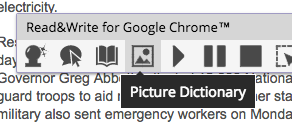
Highlight a word and click the dictionary or picture dictionary button to display a pop-up window with definitions or pictures!


Use the toolbars colorful highlighters to highlight multiple words on a page and click the Vocabulary button to open a google doc with a table containing the words you highlighted, definitions and pictures!


Coming Soon! Part 3 - Highlighter Tools
Part 4 - Word Prediction and Translations
Part 5 - Audio Tools