Showing posts with label Websites. Show all posts
Tuesday, January 15, 2019
Draw.io
draw.io is free online diagram software for making flowcharts, venn diagrams, timelines and diagrams that save in your Google Drive! The charts can be exported in numerous formats including .jpeg and .pdf as well as embedded in websites!


Tuesday, January 8, 2019
MIT Blossoms
The Massachusetts Institute of Technology developed BLOSSOMS (Blended Learning Open Source Science or Math Studies). On Blossoms you can find free math and science video segments that include a teacher’s guide, downloadable handouts, and a list of additional online resources relevant to the topic. The lessons are designed for High School students, but the videos are interesting!
https://blossoms.mit.edu/
Topics Include:
Friday, March 23, 2018
CS Unplugged
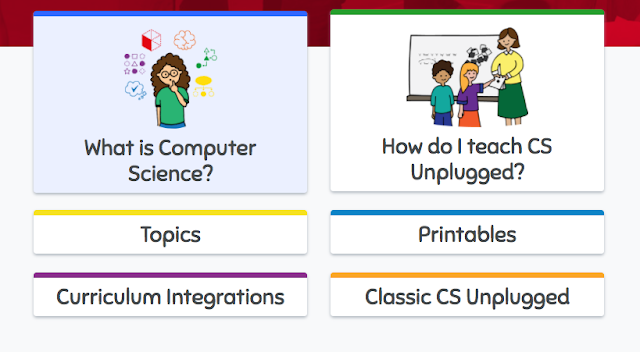
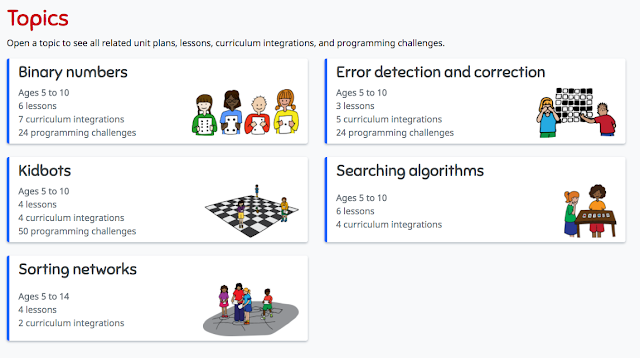
CS Unplugged lets you teach computer science skills without a computer! Teachers don't need to know how to program or code to use these hands-on, kinesthetic lessons! Some lessons have videos that show you exactly how the lessons can be implemented. These free lessons and resources teach important critical thinking, collaboration and creativity through engaging games and puzzles.

The topics have lessons that easily integrate CS skills into writing, reading math, science, art, music, and drama.

Friday, March 2, 2018
ClassroomScreen
Classroomscreen.com
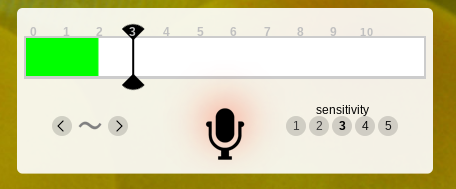
Leave this website up all day and use it to quickly use and display classroom productivity tools like timers, clocks, drawing pages, noise level monitors, dice and post its! Yo can even create and display QR codes right on the page by just pasting in a URL!!!!
Super easy and fun!!!

Tuesday, February 20, 2018
Life of a Can
Novelis and Discovery Education created a new elementary recycling education program that teachers about recycling through lessons and activities focusing on the "Life of a Can."
Resources include an interactive challenge, lesson plans for 3-5th graders, and activities for families. There is even a tool kit to help students create a school-wide recycling program!
Friday, February 2, 2018
Flipgrid
Create a wall/page where students can share ideas and respond to questions using quick, short videos! It's easy, fun and has more potential classroom uses that I can count... like a digital "I Wonder" wall, exit slips, essential questions, your class newsletter......
Here's my first Flipgrid...
Flipgrid's Library of Ideas (Topics of Discovery)
Even more ways to Use Flipgrid
Downloadable instructions for teachers and students!
Getting Started Video (2 minutes)
Quick Walkthrough Video from Flipgrid on Vimeo.
Thursday, January 18, 2018
Another Exciting Feature of Kahoot!
Kahoot has decided to help us out and create a library of free, curriculum-aligned games designed for classrooms!
Rest assured that the content of these Kahoots are factual, reliable and appropriate! You can also duplicate and edit these Kahoots to customize them for your specific needs!
Then either click on the See Collection images
or look for Kahoots made by one of these accounts.
Wednesday, January 17, 2018
Adobe Spark!
Adobe Spark is a graphic design app that enables you to create 3 types of projects: a post, a web story or a video.
Classroom Uses
- Sight word proficiency
- Narrative prompts /Story starters/Creative storytelling
- Book reports
- An alternative to written assignments
- Research/Genius Hour reports
- Field-trip reports/
- Vacation Journals
- Student portfolios
- Classroom newsletters
Here are 7 simple steps to create your own a Spark video!
Create an account and log in to https://spark.adobe.com
Monday, November 13, 2017
Discovery Education's Spotlight on Strategies
Looking for a way to spice up your vocabulary lessons? Want a fun way to teach prediction skills? Discovery Education (formerly known as United Streaming) has complied a plethora of fun teaching strategies that use digital media. If your looking for some new activities and strategies this is a great place to start!
Wednesday, November 8, 2017
New Features in Kahoot!
Kahoot! has added some great new features since my first post about it in 2015!
1. Jumble
In this new game format students don't need to just come up with the correct answer, they need to come up wit the correct order/sequence of 4 choices.

2. Team Play
KAhoot! added a Team mode feature so students can compete as a team using 1 device. (Not available for a Jumble yet.)
3. Game Options
Kahoot! has added some great game settings to help you customize your students' experience.

4. Ghost Mode
After the end of a normal quiz, students can choose to play the game again in Ghost Mode. In this mode a "ghost" of the player plays along side the player. The "ghost" answers the question exactly the same way the student did on the first game. At the end, students can compare their results with their first attempt and see if/how much progress they made. (Not available for a Jumble yet.)
5. Assign a Kahoot! as homework!
Remember there are 4 different kinds of Kahoots - Quiz, Discussion, Survey and Jumble. Need a quick reminder about each type? Read What are the different kahoot types for?
1. Jumble
In this new game format students don't need to just come up with the correct answer, they need to come up wit the correct order/sequence of 4 choices.

2. Team PlayKAhoot! added a Team mode feature so students can compete as a team using 1 device. (Not available for a Jumble yet.)
3. Game Options
Kahoot! has added some great game settings to help you customize your students' experience.

4. Ghost Mode
After the end of a normal quiz, students can choose to play the game again in Ghost Mode. In this mode a "ghost" of the player plays along side the player. The "ghost" answers the question exactly the same way the student did on the first game. At the end, students can compare their results with their first attempt and see if/how much progress they made. (Not available for a Jumble yet.)
5. Assign a Kahoot! as homework!
- Open the Kahoot! you want, or create one as usual.
- Click on the Challenge button and follow the instructions to set up a challenge. Choose how long you want it to be live.
- Copy the challenge link, and share with your students – via email, google classroom, your website, etc...

Remember there are 4 different kinds of Kahoots - Quiz, Discussion, Survey and Jumble. Need a quick reminder about each type? Read What are the different kahoot types for?
Monday, October 16, 2017
RAD Lands in School Virtual Field Trip
Discovery Education and Chipotle have partnered up to provide teachers with classroom resources for teaching about eating healthy. Visit RAD Lands in School to check out these resources.
On Wednesday, November 8, 2017 from 12:00 PM to 12:30 PM you can take you students on a LIVE virtual field trip to learn how easy it is to not only eat healthy, but how to have fun doing it!
The field trip is free! Registration is required. Then on 11/8 you can project the field trip in your room, sit back and enjoy the journey. Easiest field trip ever!
On Wednesday, November 8, 2017 from 12:00 PM to 12:30 PM you can take you students on a LIVE virtual field trip to learn how easy it is to not only eat healthy, but how to have fun doing it!
The field trip is free! Registration is required. Then on 11/8 you can project the field trip in your room, sit back and enjoy the journey. Easiest field trip ever!
Friday, October 6, 2017
BrainPop and BrainPop Jr. Lesson Ideas

https://educators.brainpop.com/
BrainPop has lesson plans and ideas for many of the videos.
Some lessons include ideas to Smash other programs like Google Earth or Skitch with a BrainPop video!
Other lesson include some pretty cool Extension Activities.
Thursday, September 28, 2017
Eleanor Amplified!

The Radio Adventures of Eleanor Amplified podcast for kids 8-12 with entertaining, fictional stories about a world-famous radio reporter, Eleanor Amplified. Designed to get children interested in journalism, spark conversations and make smart choices the episodes are 10-15 minutes of action packed adventures!
Great for a listening station or as a whole group!
Tuesday, September 26, 2017
MoxieReader on SALE!!
Tired of paper reading logs?
Looking for a new way to motivate your class to read?
Want to help students find the right book for them?
Check out MoxieReader! It is on sale through September... $19.99 for the year (regular price $63)
What is MoxieReader from MoxieReader on Vimeo.
Track, motivate and personalize what your students are reading at home and in the classroom!
Looking for a new way to motivate your class to read?
Want to help students find the right book for them?
Check out MoxieReader! It is on sale through September... $19.99 for the year (regular price $63)
What is MoxieReader from MoxieReader on Vimeo.
Track, motivate and personalize what your students are reading at home and in the classroom!
Wednesday, September 13, 2017
Gather Resources!
Wether your looking for an SIPD idea or you need some research and resources to support your learning, online webinars and courses are a perfect place to start!
EdWeb.net has over 1200 previously recorded, free, 1 hour webinars. The extensive list of topics include bullying, differentiated instruction, library media, school gardening...

The IEA's Online Learning Portal has a huge selection of free online, self-paced courses about Assessments, Class Culture, Technology in he Classroom, Teaching and Learning and other topics.

ASCD's free, on-demand webinars address timely and relevant topics like student engagement, classroom technology, and instructional strategies.
Education Week has free upcoming and on-demand webinars on Language Arts, Math, Assessments, Common Core, Technology and Special Education.
TeachersFirst OK2Ask Archives has almost 200 free, archived webinars focusing on a wide range of topics form technology integration to digital storytelling to tools to use in reading/writing instruction.
Intel Teach Elements offers free courses for teachers that focus specifically on technology in 21st century classroom topics.
Other resources to check out
Education Closet (a few free webinars)
BrainPop Webinars
PBS TeacherLine (a few courses are free/cheap)
Library of Congress Online Modules
https://www.youcubed.org/ - Math Resources!
EdWeb.net has over 1200 previously recorded, free, 1 hour webinars. The extensive list of topics include bullying, differentiated instruction, library media, school gardening...

The IEA's Online Learning Portal has a huge selection of free online, self-paced courses about Assessments, Class Culture, Technology in he Classroom, Teaching and Learning and other topics.

ASCD's free, on-demand webinars address timely and relevant topics like student engagement, classroom technology, and instructional strategies.
TeachersFirst OK2Ask Archives has almost 200 free, archived webinars focusing on a wide range of topics form technology integration to digital storytelling to tools to use in reading/writing instruction.Other resources to check out
Education Closet (a few free webinars)
BrainPop Webinars
PBS TeacherLine (a few courses are free/cheap)
Library of Congress Online Modules
https://www.youcubed.org/ - Math Resources!
Monday, September 11, 2017
Noisli - Improve Focus with Customizable Background Sounds
Would some of your students benefit from background noise that improves productivity or helps with relaxation?
Check out https://www.noisli.com/ a simple and quick way to reduce distractions while you work.

When you find a combination of sounds that suits your purposes, you can save it as a Combo. Combos can be played back from the website or the Chrome Extension

Wednesday, September 6, 2017
Home Button in Chrome & ClassLink
To set your home button in Chrome...
Go to your Chrome settings
Enable the show home button.
Type the website you want to open whenever you hit the home button.
Hint: If you want it ti be the ClassLink page for RTSD26 staff, type http://launchpad.classlink.
If you want to be able to use the Sign in with Google button on ClassLink, you must
1. Log into ClassLink
2. Go to the profile dropdown arrow on the top right
3. Click My Profile
4. Click Sign In Options
5. Connect to Google.
Subscribe to:
Posts (Atom)


