Showing posts with label Lesson Ideas. Show all posts

Tuesday, February 20, 2018

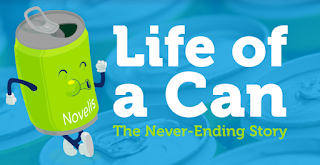
Life of a Can

Novelis and Discovery Education created a new elementary recycling education program that teachers about recycling through lessons and activities focusing on the "Life of a Can."

Resources include an interactive challenge, lesson plans for 3-5th graders, and activities for families.  There is even a tool kit to help students create a school-wide recycling program!


Thursday, January 18, 2018

Another Exciting Feature of Kahoot!

Kahoot has decided to help us out and create a library of free, curriculum-aligned games designed for classrooms!

Rest assured that the content of these Kahoots are factual, reliable and appropriate! You can also duplicate and edit these Kahoots to customize them for your specific needs!

To find Kahoot's official Kahoots...

First click


Then either click on the See Collection images 


or look for Kahoots made by one of these accounts.


Previous posts about Kahoot

New Features in Kahoot!  11/28/17

Wednesday, January 17, 2018

Adobe Spark!

Adobe Spark is a graphic design app that enables you to create 3 types of projects: a post, a web story or a video.

Classroom Uses
  • Sight word proficiency
  • Narrative prompts /Story starters/Creative storytelling
  • Book reports
  • An alternative to written assignments 
  • Research/Genius Hour reports
  • Field-trip reports/ 
  • Vacation Journals
  • Student portfolios
  • Classroom newsletters 


Here are 7 simple steps to create your own a Spark video!


Create an account and log in to https://spark.adobe.com


Monday, November 13, 2017

Discovery Education's Spotlight on Strategies

Looking for a way to spice up your vocabulary lessons?  Want a fun way to teach prediction skills?  Discovery Education (formerly known as United Streaming) has complied a plethora of fun teaching strategies that use digital media.   If your looking for some new activities and strategies this is a great place to start!


RTSD 26 staff has access to a Discovery Education account. DE is a video database which also also includes lesson plans and interactive teaching and learning tools. If you need to create an account, you can find the directions on the RTSD 26 Subscription Websites doc.

Wednesday, November 8, 2017

New Features in Kahoot!

Kahoot! has added some great new features since my first post about it in 2015!

1.  Jumble
In this new game format students don't need to just come up with the correct answer, they need to come up wit the correct order/sequence of 4 choices.


2.  Team Play
KAhoot! added a Team mode feature so students can compete as a team using 1 device.  (Not available for a Jumble yet.)


3.  Game Options
Kahoot! has added some great game settings to help you customize your students' experience.


4.  Ghost Mode
After the end of a normal quiz, students can choose to play the game again in Ghost Mode.  In this mode a "ghost" of the player plays along side the player.  The "ghost" answers the question exactly the same way the student did on the first game.  At the end, students can compare their results with their first attempt and see if/how much progress they made.  (Not available for a Jumble yet.)

5.  Assign a Kahoot! as homework!
  1. Open the Kahoot! you want, or create one as usual.
  2. Click on the Challenge button and follow the instructions to set up a challenge. Choose how long you want it to be live.
  3. Copy the challenge link, and share with your students – via email, google classroom, your website, etc...

Remember there are 4 different kinds of Kahoots - Quiz, Discussion, Survey and Jumble.  Need a quick reminder about each type?  Read What are the different kahoot types for?

Monday, October 16, 2017

RAD Lands in School Virtual Field Trip

Discovery Education and Chipotle have partnered up to provide teachers with classroom resources for teaching about eating healthy. Visit RAD Lands in School to check out these resources.

On Wednesday, November 8, 2017 from 12:00 PM to 12:30 PM you can take you students on a LIVE virtual field trip to learn how easy it is to not only eat healthy, but how to have fun doing it!

The field trip is free! Registration is required. Then on 11/8 you can project the field trip in your room, sit back and enjoy the journey. Easiest field trip ever!

Friday, October 6, 2017

BrainPop and BrainPop Jr. Lesson Ideas


https://educators.brainpop.com/

BrainPop has lesson plans and ideas for many of the videos.


Some lessons include ideas to Smash other programs like Google Earth or Skitch with a BrainPop video!

Other lesson include some pretty cool Extension Activities. 

Wednesday, February 8, 2017

BrainPop Update!

Here are some cool BrainPop features you may have forgotten about and some super cool new ones!

Reminders 
BrainPop Game Up (BrainPop & BrainPop Jr.)

BrainPop Make A Map (BrainPop & BrainPop Jr.)

Advantages of a MyBrainPop Account for Teachers (email Sondra for your code!)
Class Summary
Class quiz results are broken down question by question and student by student, revealing the areas that need further clarification.

Assignments
Assign movies, quizzes, concept maps, Challenges, GameUp games, FYIs, and more! Students can submit their work for feedback, and you can track their progress through My Classes.

Quiz Mixer
Customize assessment: build your own BrainPOP-style quizzes with the Quiz Mixer! Use BrainPops bank of questions and edit them, or write your own, including open-ended and poll questions.

New & Exciting

Snapthought - (BrainPop & BrainPop Jr.)
Capture and reflect on key moments in game play by making predictions and drawing conclusions. Available on select GameUp titles.

Make-A-Movie (BrainPOP)
Teachers and students can narrate their own BrainPOP-style movies using images from the BrainPop library or your own drawings.

Talk About (BrainPop Jr.)
A graphic organizer

Write About It (BrainPop Jr.)
A writing prompt

Draw About (BrainPop Jr.)
A drawing prompt.

Word Play (BrainPop Jr.)
An interactive vocabulary feature that enables students to explore key words from the topic.


Monday, November 28, 2016

Show What You Know

Looking for some creative ways to publish student work?  Wesley Fryer has compiled resources that can help you understand just what programs and apps students can use to show what they know!!!

Show it With Media

Personally, I like the 5 Photo Story idea... It can be a fun, quick way to retell a story, explain how to do something or review for a test.


http://showwithmedia.com/

Friday, May 20, 2016

Tynker


Tynker.com offers a free 6-course introduction to coding for grades 3-8 and paid coding courses for younger students.  The courses includes lesson plans and project templates to help students learn to program and code by creating games, tutorials  and puzzles!


Friday, April 29, 2016

Smithsonian TT & TweenTribune

Looking for current event articles for kids?  Check out Smithsonian TTJunior & TweenTribune.  This site has interesting daily articles categorized by Lexile.  The articles are clean, with no distracting ads on the side.  Teachers can create a class and have students participate in quizzes and post teacher approved comments!


Thursday, March 3, 2016

Tinker Studio

Hands-on, engaging manipulatives and tools that inspire creativity, problem solving and critical thinking!


Wednesday, January 13, 2016

Google Forms

Google Forms are a quick and easy tool to help teachers stay organized, collect information and assess learning!

Here is a 5 Step Cheat Sheet to get you started!


Need more advanced tutorials?  Check out the Google Forms Learning Center!


Need some ideas for using forms in the classroom?  Check out this presentation by Tom Barrett.
(@tombarrett)

Wednesday, December 16, 2015

Symbaloo

Looking for a cool way to display and share links with your students?  Try Symbaloo!  It is super easy and helps you keep all your resources in one place!  Each tile is a link to a web site or resource.  The grids (officially called webmixes) can be shared with a link or embedded in a website.  You can also search other thousands of other peoples webmixes!

Looking for a way to publish and share your students' work?  Check out the web mix I created!
http://edu.symbaloo.com/mix/publishshare 


Wednesday, December 2, 2015

PixiClip

PixiClip  is an online whiteboard that allows you to draw and or annotate images while recording the screen and/or your voice or video narration.

  • Create math tutorials to walks students through the steps of solving problems.
  • Narrate a Google Slide 
  • Flip your classroom! Create instructional videos students can watch at home. 
  • Tell a Story